Guide · Self-review routine
How to review CS2 demos without wasting two hours
Most players quit reviewing matches after two days because opening a .dem file in CS2 takes ten minutes of console commands and leaves you scrubbing through freeze time, so a tighter 15-minute routine works way better with Valve’s built-in tools alone and gets even quicker once your POV and a 2D map run together.
Updated 2026-11-22 · Windows 10/11 · No account needed
Pick one close loss instead of a blowout
Skip 13-3 stomps and 13-2 losses where someone abandoned, because the matches that actually move your rating are 13-10 or overtime games where three or four rounds flipped the economy.
Reviewing one close match properly does way more than skimming five, and keeping a hard 15-minute cap is usually the difference between doing it once and actually building a habit after ranked sessions.
Keep your real POV, because GOTV demos hide how you aimed
CS2 match demos only store 64-tick server snapshots, so they smooth out micro-adjustments and drop your voice comms and HUD timing. If you want to catch lazy crosshair placement, panic sprays, or late calls, turn on Valve’s built-in Steam Game Recording in Background mode.
Hardware encoding on both NVIDIA NVENC and AMD AMF runs on dedicated media silicon off to the side of your 3D shaders, so background capture stays out of CS2’s way without hooking the game, and a 90 to 120 minute rolling buffer is plenty to hold a full match plus overtime.
Run a 15-minute pass with native CS2 demoui
If you’re reviewing straight inside CS2 with no extra software, download the match from the Watch tab (or unpack a FACEIT .dem into your csgo folder) and load it with playdemo in console, then hit Shift+F2 for demoui.
- Turn X-ray off on the first watch of every death and ask what you could realistically have known from sound, radar, and utility before blaming your aim or calling bad timing.
- Skip buy phases, saves, and clean eco wins, and jump straight to your deaths, lost opening duels, and clutches you dropped.
- Jot down one blunt tag per death in a notepad, like dry peek, crosshair low, no trade, rough timing, died with util, or over-peeking with advantage.
- Turn X-ray on and rewind ten seconds only after you’ve guessed what went wrong, so you can check whether your spot exposed you to two angles at once or handed the enemy an easy swing.
- Stop once you’ve found two repeating habits to work on over your next five matches, because trying to fix seven things at once fixes none of them.
bind "f5" "demo_togglepause"; bind "f6" "demo_timescale 0.5"; bind "f7" "demo_timescale 1"; bind "f8" "demo_timescale 4"Where CSReview fits in (full disclosure)
Native demoui works fine if you only look at a round or two a week, and the friction mostly shows up when you review regularly and get tired of clipping Steam recordings by hand, hunting down FACEIT demos, waiting on seek lag, and managing disk space.
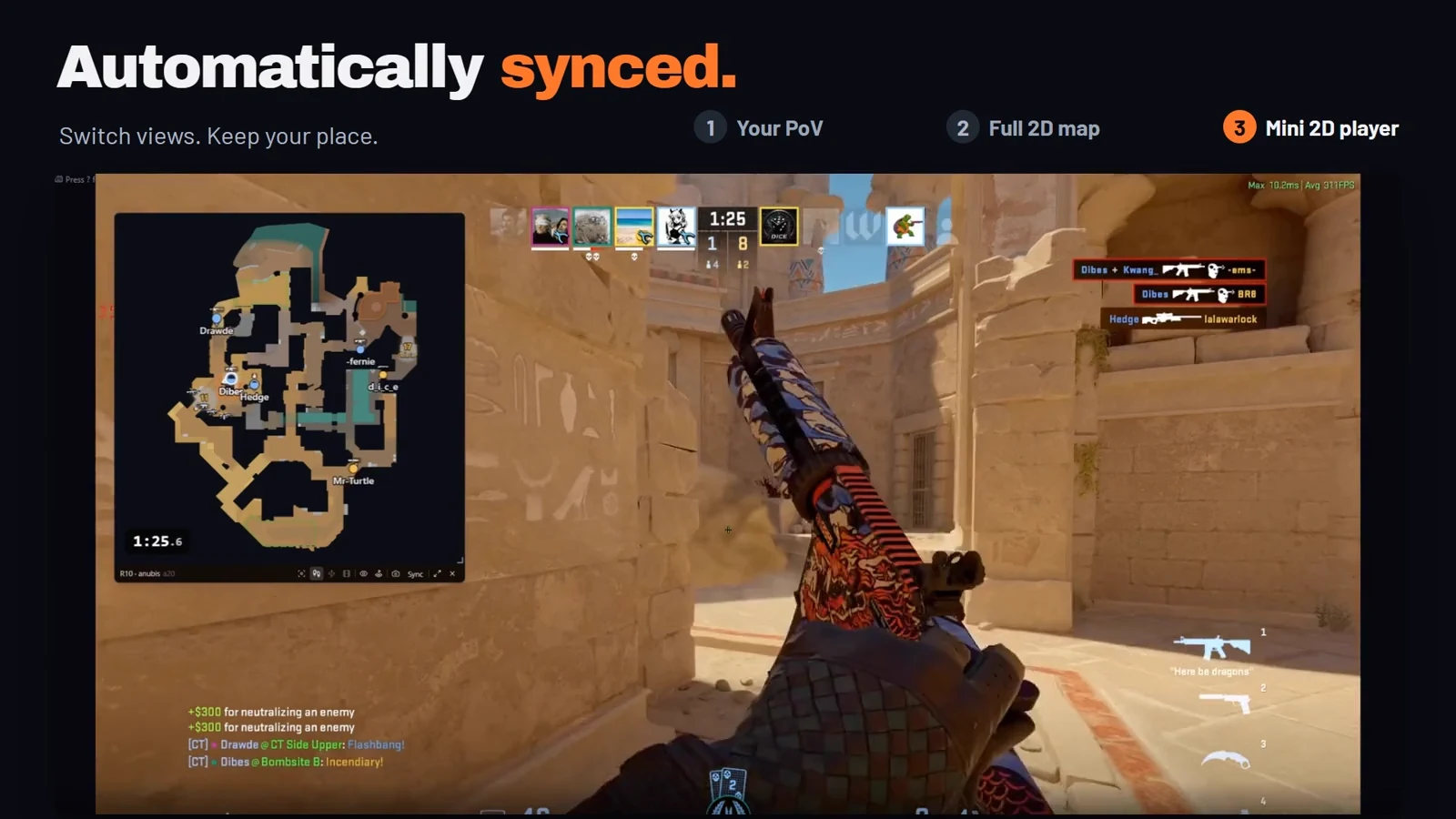
I built CSReview on Windows 10 and 11 to take that manual loop out of the way. After a match ends it pulls your POV straight out of Steam Game Recording, brings down your Matchmaking or FACEIT demo in the background, and plays your own footage frame for frame beside a 2D and 3D replay with map control, line of sight, and CT/T Intel fog of war, while capping storage at 100 GB by default so old recordings clean themselves up.
You don’t even have to record video to use it, because you can drag any .dem file straight into the app and open the 2D and 3D replay on its own. There’s no account required, and every install includes up to nine full 2D and 3D replays free (five past matches imported right away, your first new match, and three more you pick yourself).
Common questions
Should I turn X-ray on or off when reviewing my CS2 demos?
Start with X-ray off (or an Intel fog-of-war view) so you judge each call using only what you could actually have known in the round, then turn X-ray on afterward to check enemy positions and timings.
How many demos should I review per week to climb in Premier or FACEIT?
One or two close losses a week is plenty for most players, as long as you pick one or two repeating habits and actively test the fix across your next five matches.
Can I review FACEIT demos the same way as Valve Matchmaking demos?
Yeah, you can grab the .dem.zst archive from your FACEIT match room, unpack it, and load it in CS2 with playdemo, or let a desktop tool like CSReview or CS Demo Manager pull it down on its own.
Skip the manual Steam clipping and demoui scrubbing
CSReview runs quietly in the tray on Windows 10 and 11, pairs your Steam POV with the match demo on its own, and gives you nine full 2D and 3D replays free with no account.
Windows 10/11 · VAC-safe · 9 full 2D & 3D replays free